Download the wg8 bd App
APK for Android
Get the full wg8 bd experience on your phone. Bet on cricket, spin slots, play live casino, and deposit with bKash — all in one free app. Takes under two minutes to install.
Free · Android 7.0+ · v2.8.10 · 45 MB · Scan QR below on mobile
What You Get in the wg8 bd App
Cricket & Sports Betting
Bet on BPL, IPL, T20, ODI, and international matches directly from the app. Live in-play odds update in real time. Place a match-winner, top-batsman, or over/under market in seconds — no browser required.
Slots & Crash Games
Access over 3,000 games from JILI, Spribe, Playtech, CQ9, JDB, and KA Gaming. Aviator crash, fishing arcade, and classic slots load fast even on a 4G connection. Minimum bet starts at ৳1 per spin.
Live Casino Tables
Stream real dealers for Baccarat, Roulette, and Teen Patti 24 hours a day. The app uses adaptive video quality so you get smooth playback on most Android phones. Minimum bet from ৳5 at live tables.
bKash & Nagad Deposits
Deposit with bKash, Nagad, Rocket, or Upay straight from the app's cashier screen. Funds arrive in your account in about 3 minutes. Minimum deposit is ৳100 — no bank card needed, no desktop required.
Push Notifications
Opt in for live score alerts, bonus drop reminders, and withdrawal confirmations. You can manage notification categories inside Settings. This means you never miss a reload offer or a last-over wicket.
Fast & Lightweight
The APK is 45 MB — smaller than most social apps. It runs on Android 7.0 or higher, covering most budget phones sold in Bangladesh since 2017. Pages load faster than a mobile browser on the same connection.
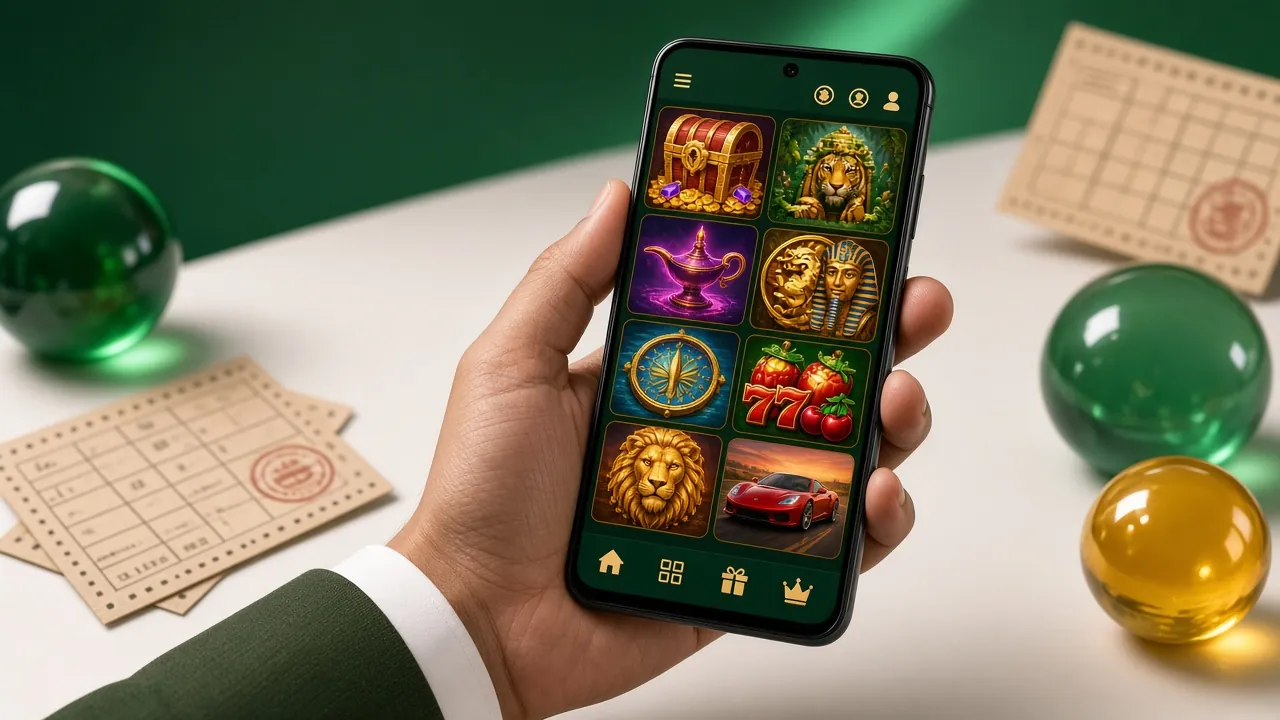
The wg8 bd app gives you the same casino lobby and betting markets you see on desktop — optimised for one-thumb use on a phone. Browse the casino lobby or create a free account to start playing.
How to Install the Android APK
Android blocks APKs from unknown sources by default. Follow these five steps to enable the setting and install the wg8 bd app safely.
-
1
Allow Unknown Sources
On your Android phone go to Settings → Security → Install Unknown Apps (path varies by brand). Find your browser or file manager and tap Allow from this source. This setting lets Android accept APKs downloaded outside the Play Store. You can turn it off again after installation.
-
2
Download the APK File
Tap the Download APK button on this page. Your browser will save
wg8-bd.apk(45 MB) to your Downloads folder. Make sure you have a stable connection — Wi-Fi or a strong 4G signal is enough. The download usually takes under 30 seconds. -
3
Open the APK File
Pull down the notification bar and tap the completed download, or open your file manager, go to Downloads, and tap wg8-bd.apk. Android will show a permission screen. Read the permissions list — the app requests storage and internet access only.
-
4
Tap Install & Wait
Tap Install on the system prompt. The installation takes about 10–15 seconds. Once you see the "App installed" screen, tap Open to launch wg8 bd immediately. You do not need to restart your phone.
-
5
Log In or Register
If you already have a wg8 bd account, enter your phone number and password to log in. New users tap Register — it takes about two minutes. After logging in, head to the cashier and deposit from ৳100 to start playing.
iOS Users: Add to Home Screen
There is no App Store version of wg8 bd. iPhone and iPad users can add the website as a home screen shortcut — it behaves like an app.
-
1
Open Safari
Visit wg8-bd.lat in Safari on your iPhone or iPad. Chrome and Firefox on iOS do not support the Add to Home Screen feature — Safari only.
-
2
Tap the Share Icon
Tap the square-with-arrow icon at the bottom of the screen (or top, on iPad). A share sheet will slide up showing several options.
-
3
Choose "Add to Home Screen"
Scroll the share sheet and tap Add to Home Screen. Name the shortcut "wg8 bd" and tap Add in the top right corner.
-
4
Open from Your Home Screen
The wg8 bd icon now appears on your home screen. Tap it to open the site in full-screen mode without the browser toolbar. All features — betting, deposits, live casino — work exactly the same.
Download & System Requirements
wg8 bd APK — Android
Official APK from wg8-bd.lat. Always free to download and install. No hidden charges.
| App Version | 2.8.10 |
|---|---|
| File Name | wg8-bd.apk |
| File Size | 45 MB |
| Minimum Android Version | Android 7.0 (Nougat) or higher |
| Last Updated | 3 November 2026 |
| Price | Free |
| Languages | English, Bangla |
| iOS Support | Not available as a native app. Use Safari Add to Home Screen (see above). |
| Internet Required | Yes — Wi-Fi, 4G, or 3G (minimum 1 Mbps for live casino streaming) |
| Download Source | wg8-bd.lat only — do not install APKs from third-party sites |
Games Available in the App
Every game in the wg8 bd casino lobby is playable in the app. Here are some popular picks — tap any card to register and try them.

Bird Catcher
RTP 96.7%
Teen Patti
RTP 95.1%Aviator
RTP 97%See all 3,000+ games in the casino lobby. Providers include JILI, Spribe, Playtech, CQ9, JDB, and KA Gaming.
App vs Web Browser — What's Different?
Both the app and the mobile website let you play every game and use every payment method. The app adds a few extras worth knowing about before you decide.
| Feature | wg8 bd App | Mobile Browser |
|---|---|---|
| All casino games (3,000+) | ||
| bKash / Nagad / Rocket deposit | ||
| Live cricket & sports betting | ||
| Push notifications for offers & scores | ||
| Faster page load (cached assets) | Partial | |
| Works without bookmarking | ||
| Requires Play Store | ||
| iOS / Safari compatible | ||
| Download required | 45 MB | |
| Full-screen experience | Add to Home Screen | |
| Biometric login (fingerprint) |
iOS users get the same games and deposit methods through Safari — just without push notifications. Android users get the full native experience with the APK.
Security & App Permissions
SSL Encryption on All Connections
Every request the app makes — login, deposit, withdrawal, game data — travels over HTTPS with 256-bit SSL. Your account credentials and payment details are never sent in plain text. Check the padlock icon in your phone's status bar to confirm a secure connection.
Minimal Permissions Requested
The wg8 bd APK requests only two permissions: Internet Access (to load games and process payments) and Storage Read/Write (to cache game assets for faster loading). It does not request camera, microphone, contacts, or location access.
Download Only from This Page
The only safe source for the wg8 bd APK is wg8-bd.lat/wg8-bd-app/. APK files on third-party download sites or Telegram groups may be modified or contain malware. Always check the file name (wg8-bd.apk) and size (45 MB) before installing.
Account & Payment Security
Use a strong, unique password for your wg8 bd account. The app supports fingerprint unlock on compatible Android phones. Never share your login credentials with anyone — wg8 bd support staff will never ask for your password via chat or email.
Common Installation Problems & Fixes
If the APK does not install or the app crashes on first open, one of these five issues is almost always the cause.
| Problem | Likely Cause | How to Fix |
|---|---|---|
| "Install blocked" message appears | Unknown sources is still disabled for your browser or file manager | Go to Settings → Security → Install Unknown Apps, find your browser in the list, and toggle Allow. Then re-tap the APK file. |
| Download stops at 0% or fails | Weak mobile data signal or unstable Wi-Fi connection | Switch to Wi-Fi or move to a spot with stronger 4G. Clear your browser's cache, then try the download again from this page. |
| App installed but won't open | Corrupted download or insufficient storage space | Delete the APK and re-download. Ensure your phone has at least 200 MB of free storage. Restart your phone and try opening again. |
| "App not installed" error after tapping Install | An older version of the app is already installed and conflicts with the new one | Go to Settings → Apps → wg8 bd and uninstall the existing version first. Then install the downloaded APK fresh. |
| Games load slowly or crash mid-session | Not enough free RAM, or Android version below 7.0 | Close background apps before opening wg8 bd. Check your Android version under Settings → About Phone — the app requires Android 7.0 minimum. For persistent issues, contact [email protected]. |
Frequently Asked Questions
Is the wg8 bd APK safe to install on my phone?
Why isn't wg8 bd on the Google Play Store?
My phone says "Installation failed." What do I do?
How do I update to the latest version of the app?
Can I use the wg8 bd app on an iPhone or iPad?
Does the app work on 3G or slow mobile data?
Do I need to complete KYC to use the app?
Ready to Play on Your Phone?
Download the wg8 bd app, deposit from ৳100 with bKash, and claim your first deposit bonus. If you don't have an account yet, register here first — it takes about two minutes.
18+ · Play Responsibly · Android 7.0+ · v2.8.10 · 45 MB · Free